

Apogee MQ-500 Review: How to Use Sample and Log Modes
Video chapters

Last updated: August 2026
Quick answer: The Apogee MQ-500 is still the reference meter I trust when I need a documented, repeatable PPFD map. It is simple, accurate and much more expensive than most home growers need. If you only want to level one personal canopy, a properly configured phone app can be enough. If you compare lights, publish measurements or need reliable records over time, the MQ-500 starts making sense.
2023 bundle warning: The MQ-500 itself remains a current Apogee model and its core sample/log functions still match the February 2026 official manual. The video shows the old AM-310 telescoping-wand bundle; Apogee’s current MQ-500 page now recommends an AM-330 wand and also lists a newer AC-110 USB-C download adapter alongside the AC-100 cable. Confirm the exact accessories in any bundle instead of assuming an old package name is unchanged. The same exact-generation rule is explained in the State of the Indoor Grow Equipment guide.

Selecting a timestamp opens the player at that moment without moving you away from this section.
What the MQ-500 measures
The MQ-500 is a full-spectrum quantum meter. In plain English, it measures the number of photosynthetically active photons reaching the sensor and reports PPFD in µmol·m−2·s−1. Growers often call it a “PAR meter,” but PAR is the 400–700 nm range; PPFD is the reading you record at the canopy.
Apogee’s current specifications state a 0–4,000 µmol·m−2·s−1 measurement range, ±5% calibration uncertainty, less than 0.5% repeatability error and less than 2% long-term drift per year. Those are manufacturer specifications, not new HWGrow laboratory measurements. The current MQ-500 manual explains the test limits and spectral-error corrections in detail.

The sensor head can tolerate harsh environments and Apogee allows specified underwater use with an immersion correction. The handheld meter is not waterproof. For ordinary grow-light mapping, keep the sensor clean, dry, level and pointed upward.
How to use sample mode
- Turn on the meter and use Mode plus the arrow buttons until SMPL is selected.
- Place the sensor at the first grid point, level at canopy height.
- Press Sample once to store the reading.
- Move to the next grid point and repeat. The upper-right counter shows how many samples are stored.
- Use the arrow buttons to review stored readings; press Sample to return to the live reading.
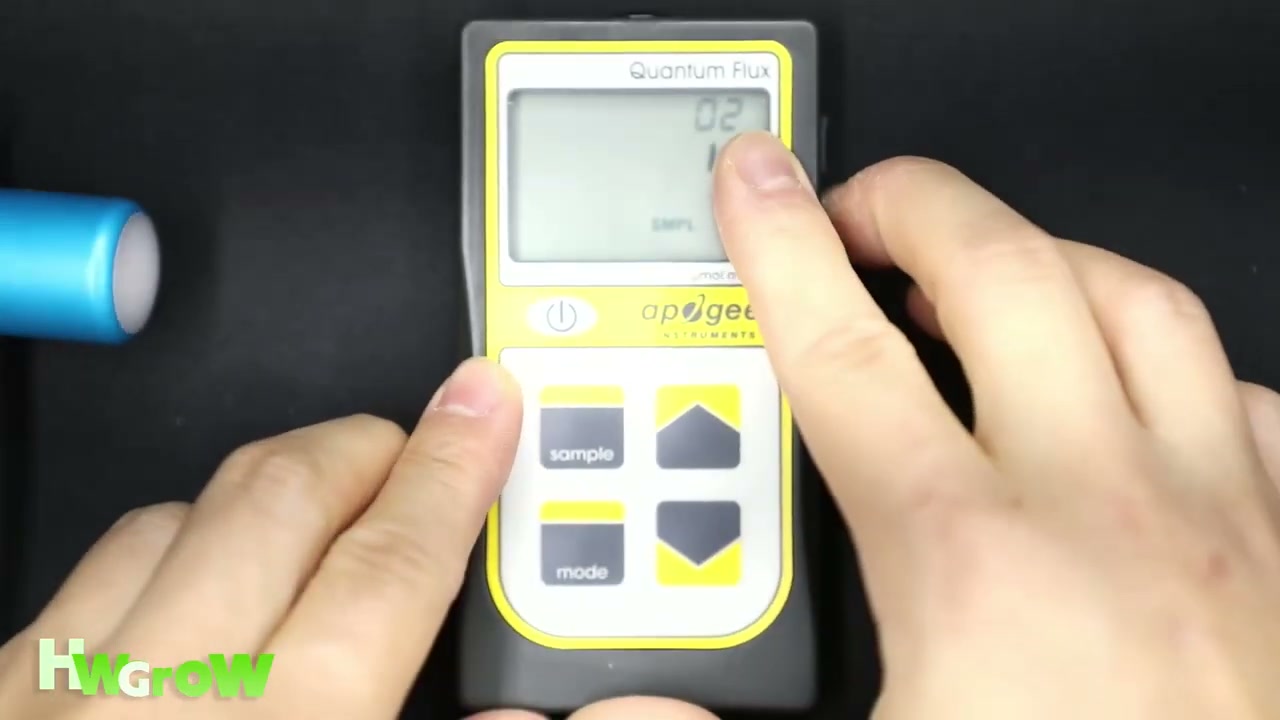
The biggest annoyance is unchanged in the current manual: you cannot erase one bad sample by itself. The reset command clears all saved measurements for the selected mode. If you record the wrong point, note it on your grid and retake the complete map when consistency matters.
How log mode works
Log mode is for time-based measurements rather than a quick canopy grid. The meter wakes every 30 seconds, collects 60 readings, then stores their 30-minute average. It can hold up to 99 averages and overwrites the oldest after the memory fills. Every 48 averages represents a 24-hour period and creates an integrated daily total.
The daily total is not shown on the handheld display. Apogee’s current manual says you need the communication adapter and software to download it. The video called the separate cable a cash grab; the current documentation explains that the meter outputs UART data and the adapter converts it to USB, so a normal USB cable cannot do that job. It is still an extra cost, but it is not just a different-shaped wire.
How to map a grow light without fooling yourself
- Set the real conditions: use the intended tent, hanging height, dimmer and spectrum.
- Let the fixture stabilize: measure after the light has warmed rather than the instant it turns on.
- Keep the sensor level: a wand helps you avoid tilting it or shading it with your body.
- Use a repeatable grid: include the center, edges and corners at the same height.
- Record minimum, maximum and average: one impressive center number can hide weak corners.
- Change one variable at a time: if you alter height and dimmer together, you will not know which change fixed the map.
The canonical LED grow-light measurement guide shows the complete grid method and my controlled MQ-500-versus-phone comparison. This review stays focused on the meter and its controls.
MQ-500 or a phone app?
| Choose | When it makes sense | Main tradeoff |
|---|---|---|
| MQ-500 | Published testing, paid consulting, repeated comparisons, a greenhouse or a grower who wants a calibrated reference | High cost; separate download adapter; periodic maintenance/recalibration |
| Supported phone app | One home tent, repeatable height adjustments and basic center-edge-corner checks | Results depend on the phone, diffuser, selected light source and calibration |
| Lux meter | Repeatable comparisons under the same known spectrum | Human-vision weighting; no universal lux-to-PPFD conversion across different spectra |
My verdict from the video still holds: the MQ-500 is overkill for many small home growers. Overkill does not mean useless. Its value is confidence and repeatability when small differences matter. A cheap tool used consistently can still improve a home grow; an expensive meter used at random heights cannot.
Maintenance and recalibration
Keep the white diffuser free of dust, moisture and deposits. Apogee’s current manual recommends gentle cleaning and says not to use abrasive material. The company generally recommends factory recalibration about every two years for maximum accuracy, although the appropriate interval depends on your tolerance and use. Routine recalibration is maintenance, not a warranty repair.
The current product page still advertises a four-year warranty. Confirm the current terms and obtain an RMA before sending anything back. Remove the battery for storage lasting many months so sleep-mode current does not slowly drain it or risk losing stored data.
Recommended light-measurement tools

Apogee MQ-500 quantum meterThe reference option for repeatable, documented PPFD mapping. Verify the exact current bundle before ordering.

Photone light-meter appThe affordable starting point. Follow the current phone, diffuser, light-source and calibration instructions.

Phone PPFD diffuser clipA repeatable alternative to loose paper when it fits your phone and the app requires a diffuser.
Affiliate disclosure: HWGrow may earn a commission from qualifying Amazon purchases at no additional cost to you. Equivalent tools can be substituted without changing the measurement workflow. Photone is linked to its official download page and is not an Amazon affiliate item.
Need help reading your PPFD map?
Ask HWGrow and include the light model, tent size, hanging height, dimmer setting, meter/app and complete grid. The Grow With Me Masterclass demonstrates how light measurements fit into a complete grow without reproducing protected lessons here.
Apogee MQ-500 FAQ
Is the Apogee MQ-500 still a current model?
Yes. Apogee still sells and supports the MQ-500. The core meter functions in the 2023 video match the February 2026 manual, although the recommended wand and data-adapter options have changed.
What is the difference between sample and log mode?
Sample mode stores up to 99 readings that you trigger manually. Log mode samples every 30 seconds, stores a 30-minute average from each group of 60 readings and calculates daily totals from 48 averages.
Can a phone app replace the MQ-500?
For repeatable home-canopy adjustments, a supported phone with the correct diffuser and calibration may be enough. The MQ-500 is the stronger reference for published tests, comparisons and long-term records.
How often should the MQ-500 be recalibrated?
Apogee’s current manual generally recommends factory recalibration about every two years for maximum accuracy, with the actual interval depending on use and tolerance.
You may also like
Best Grow Tent Humidifier: Why Young Plants Need More Humidity
How to Breed Masterclass – Promo Video



Featured Grow
 Jul 2026 — White Iverson by Selfie Seeds +2 more
White Iverson × Selfie Seeds, Pink Strawberry × Selfie Seeds, Purple Berry × Selfie Seeds • Soil • Started Jul 25, 2026
View journal
Jul 2026 — White Iverson by Selfie Seeds +2 more
White Iverson × Selfie Seeds, Pink Strawberry × Selfie Seeds, Purple Berry × Selfie Seeds • Soil • Started Jul 25, 2026
View journal
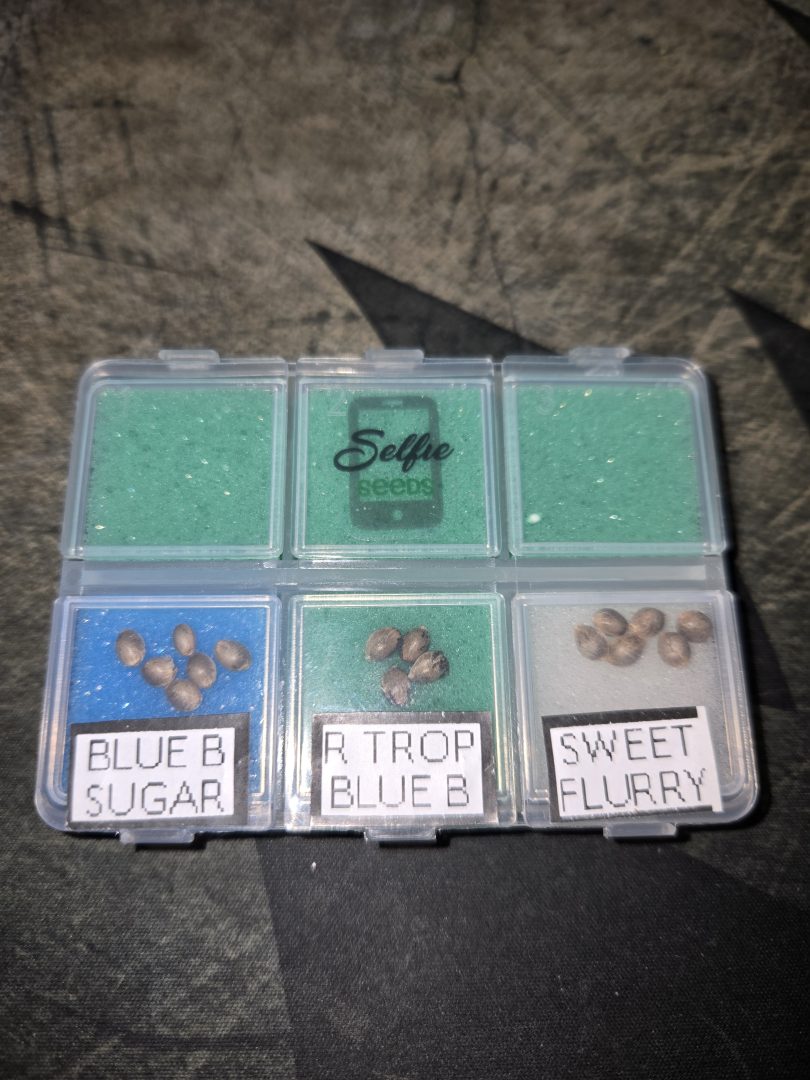 First Selfie Seeds Grow (Blueberry Sugar, Tropical Blueberry, and Sweet Flurry)
Blueberry Sugar × Selfie Seeds, Tropical Blueberry × Selfie Seeds, Sweet Flurry × Selfie Seeds • Soil • Started May 27, 2026
View journal
First Selfie Seeds Grow (Blueberry Sugar, Tropical Blueberry, and Sweet Flurry)
Blueberry Sugar × Selfie Seeds, Tropical Blueberry × Selfie Seeds, Sweet Flurry × Selfie Seeds • Soil • Started May 27, 2026
View journal
Awesome It’ll be a bit chlorophyllie but definitely let me know your opiniones

Walked in this morning before lights out and they are already bouncing back pretty good.
Awesome, fingers crossed for you
Nice LSTing Looks perfectly symmetric

Bananas!!!!! I knew I forgot something today. Thanks, gotta hit the store up in the am anyway. Coming off night,…