

Your available HWGrow rewards can become Selfie Seeds™ store credit. First transfer the rewards on HWGrow, then sign in to the matching Selfie Seeds™ account. Store credit applies automatically at checkout. It is not a coupon code.
Examples only: This guide uses redeemer@hwgrow.com and fictional amounts. Use your own account email. Do not enter the example email or send money to it.
Before you start
- Use the same login email on HWGrow and Selfie Seeds™. For example, an HWGrow account using
redeemer@hwgrow.commust match the Selfie Seeds™ account using that exact email. - Create or check your Selfie Seeds™ account before transferring. Make sure you can sign in.
- Check your available rewards on HWGrow. Points, estimated rewards and a pending monthly pool are not the same as an available dollar balance.
- The minimum transfer is $5.00. You can transfer your available earned reward balance in one request, including amounts over $100 such as $200. Never enter more than your available balance.
1. Open your HWGrow rewards
Sign in to HWGrow, open My Account, then choose Rewards. You can also use the direct link below.
Look for your available dollar balance. If it is below $5.00, keep earning until it reaches the transfer minimum.
2. Transfer rewards to your store account
- Find
Send to Selfie Seeds. Do not choose Transfer to another member, which is a different action. - Check the Linked identity email. It comes from your HWGrow account and cannot be changed in this transfer form. If it is wrong or does not match your Selfie Seeds™ login, stop and contact support before submitting.
- Enter the amount in dollars, including cents if needed. For example, enter 25.00 to transfer $25.00.
- Press
Transfer to my Selfie Seeds store creditonce. Wait for the result on the HWGrow Rewards page.
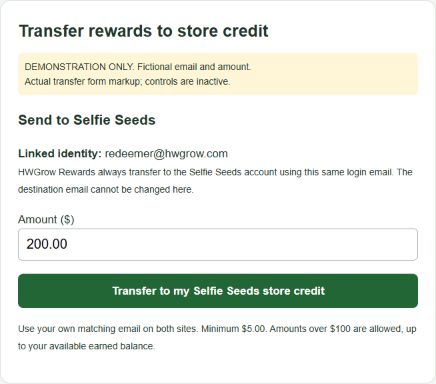
Do not treat an opened Selfie Seeds™ homepage as confirmation. A completed transfer needs a successful result or fulfilled record on HWGrow and corresponding credit in the Selfie Seeds™ account.
3. Check that your store credit arrived
Sign in to Selfie Seeds™ with the same email. Open your account’s Transactions page to check your credit balance and history.
Sign in to Selfie Seeds™ · View my Selfie Seeds™ credit and transactions
A fictional example: after transferring $25.00 into an account with no previous credit, the account should show $25.00 in store credit. Your actual balance may differ because of earlier credits or purchases.
4. Use your credit at checkout
- Stay signed in to the Selfie Seeds™ account that received the credit. Guest checkout cannot use your account credit.
- Add your items to the cart and proceed to checkout.
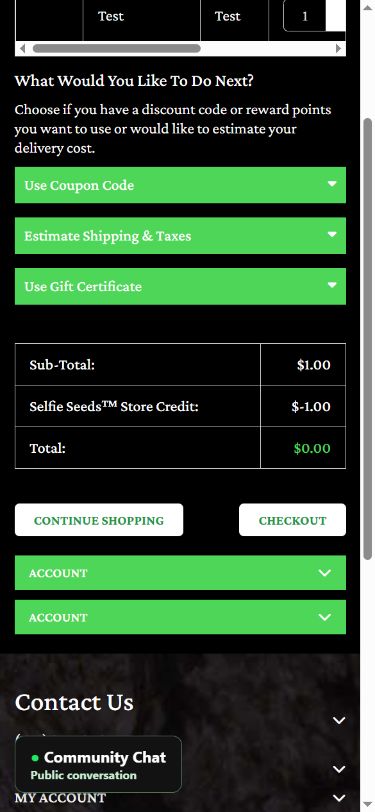
- Review the final order totals. Available store credit applies automatically. There is no separate rewards coupon code or Apply button to find.
- Confirm that the credit deduction and remaining amount are correct before placing the order. If they are not, stop and contact support.
Example: If the payable order total is $80.00 and you have $25.00 in credit, $55.00 remains to pay. If the payable total is $15.00 and you have $25.00 in credit, credit can cover the $15.00 and the unused $10.00 remains for later. These are examples, not a completed purchase.
What if the transfer or credit does not appear?
- Pending on HWGrow: The transfer has not been confirmed as delivered. Reserved credit may no longer appear in your available balance. Do not submit a second transfer to replace it. Ask support to check the existing redemption.
- Sent or fulfilled, but no Selfie Seeds™ credit: Check that you signed in with the matching email and review Transactions. If it is still missing, contact support with the redemption reference.
- The button only opens the homepage: Reload the HWGrow Rewards page to load the corrected button. Check for an existing redemption before trying again. If there is a pending record, do not create a replacement request.
- Credit is visible in Transactions but not at checkout: Confirm that checkout is signed in to that same account, then reopen checkout and inspect the final totals. Do not place the order expecting a later automatic refund.
- More than $100.00 to transfer: You do not need to split it into $100 requests. Transfer the amount you want, up to your available earned balance. If a previous transfer is pending, ask support to check that existing transfer instead of submitting a replacement.
- Using a phone: Open the site in Safari or Chrome and sign in directly. If an in-app browser loses your login, open the same page in your regular browser. Expand the checkout order summary if it is collapsed.
Get help without risking a duplicate transfer
Use the private support form. Include your account email, amount, approximate transfer time, any redemption reference or error, and whether the credit appears on Selfie Seeds™ Transactions. A screenshot can help, but crop out addresses, payment details and unrelated personal information. Never send your password or full card number.
Contact HWGrow about a transfer · Contact Selfie Seeds™ about account credit or checkout
Updated October 4, 2026. Example images are labeled demonstrations and do not show a real member’s balance or a completed transaction.





Featured Grow
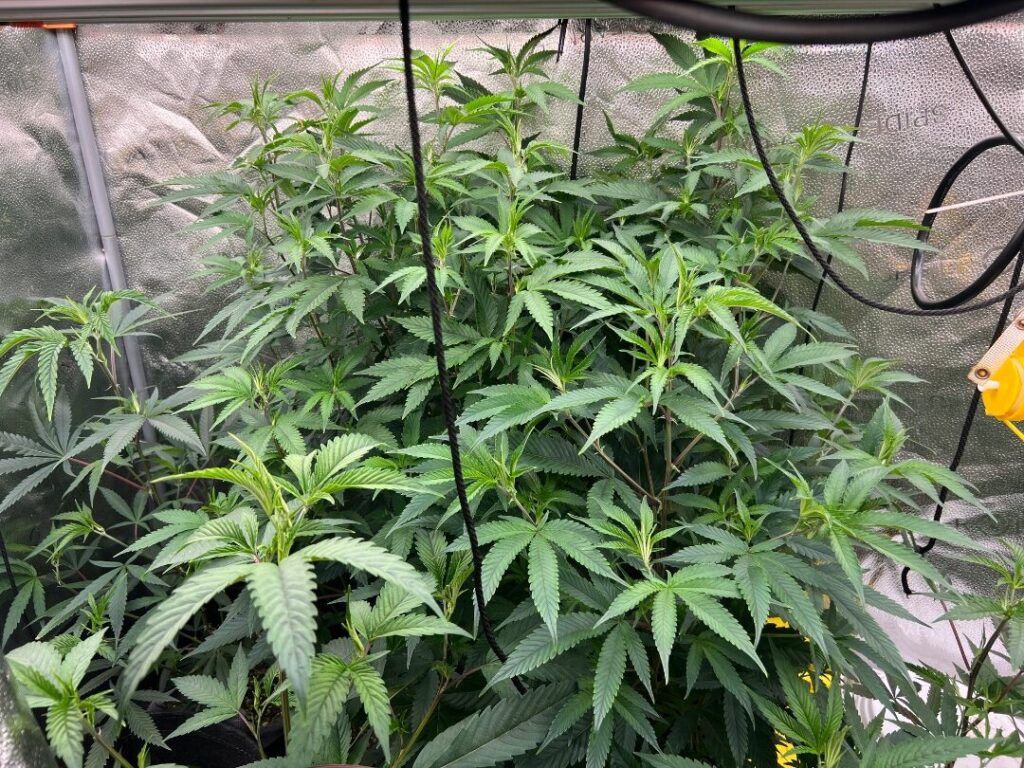
Looks great
I might deploy a trellis this run
I just ordered more yoyos
What is the banana supposed to do? And everytime I see a banana strain I have to buy it cause…
That stacking looks good.. once they swell OMG those buds are gonna be nut to butt